

- Pricing
- Features
- Industries
- Affiliate/Partner
- Resources
WhatsApp Team Inbox with Multi-Agent Access
on a Single Number
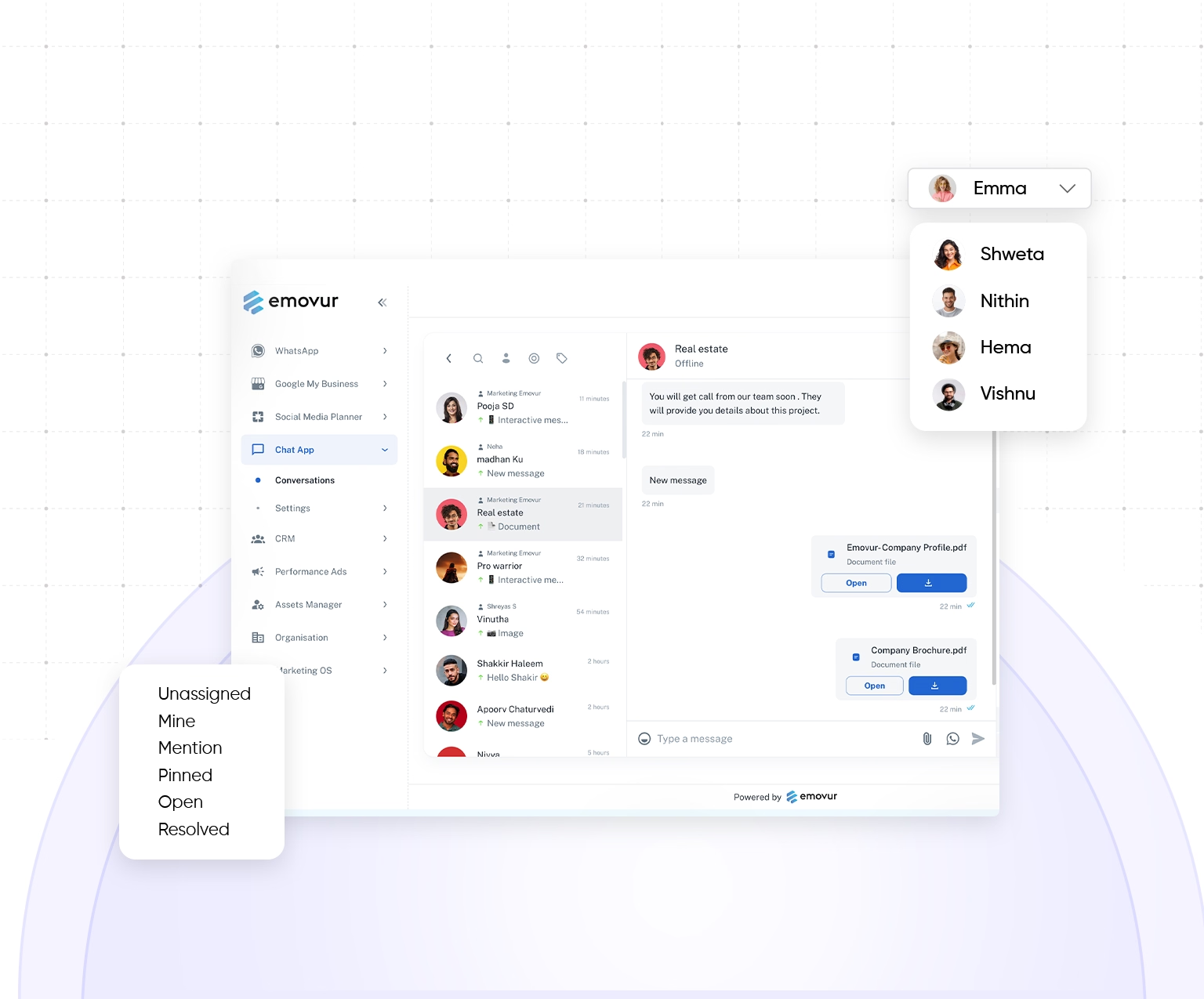
Let your whole team manage customer conversations from one WhatsApp Business number through a shared inbox. Emovur's WhatsApp Shared Team Inbox helps you assign chats to the right agent, view complete customer details, collaborate in real time, automate repeated tasks and track team performance from one place. Your team can respond faster, avoid missed messages, prevent duplicate replies and deliver a smooth customer experience every time.
Trusted By Businesses for Seamless Team Collaboration





50M+
Messages Delivered
10K+
Businesses Trust Us
100+
Reseller Partners
10+
Countries Active
Features
Tools Built for Fast-Paced Teams
Handle busy support hours with tools that keep customer conversations clear and organized. Emovur's WhatsApp Shared Team Inbox helps customer support teams use filters, chat labels, automated actions and performance insights to manage high message volumes efficiently. Teams can find important conversations faster, reduce manual work and maintain consistent service as customer demand grows.
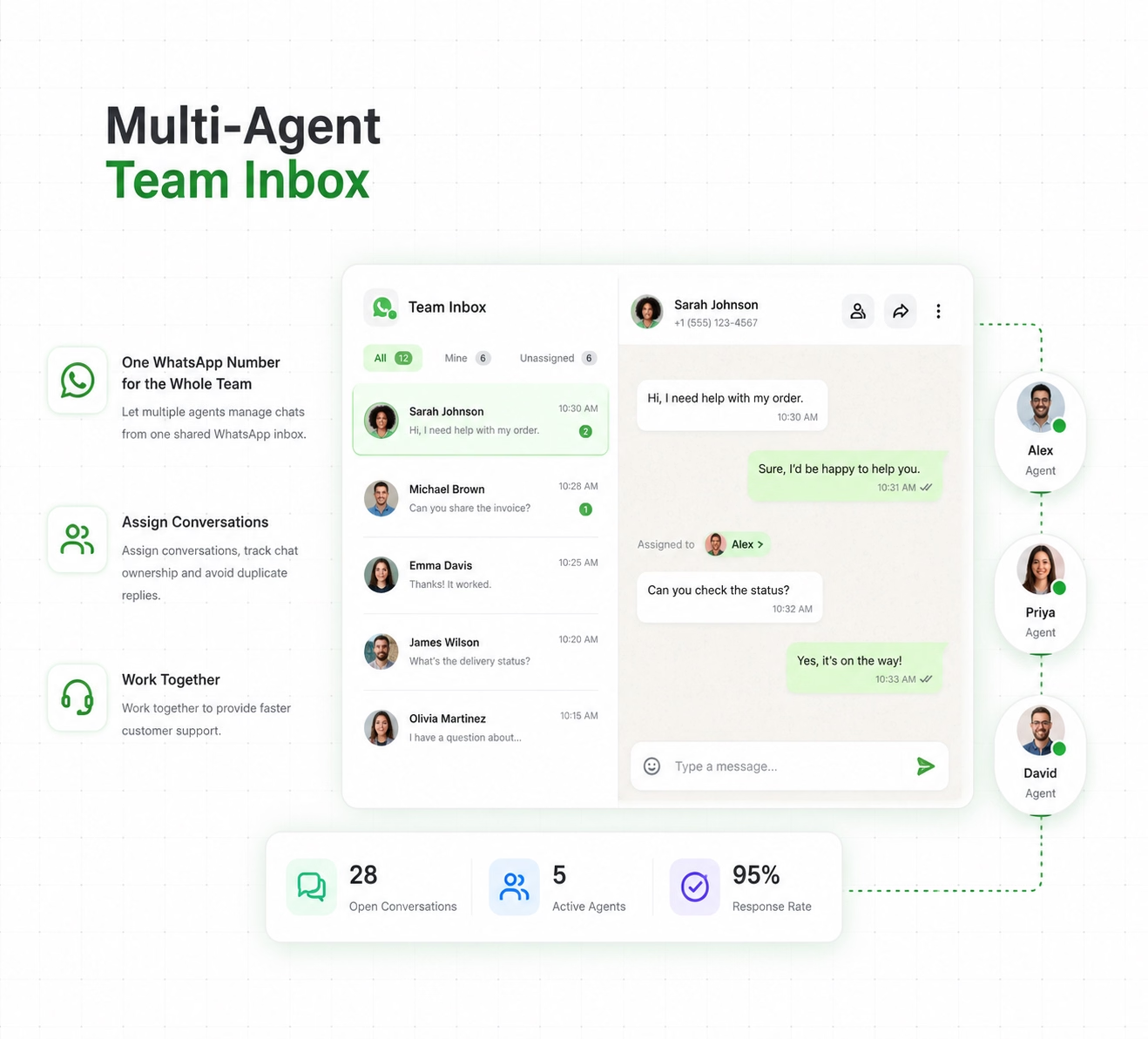
Multi-Agent Team Inbox
One WhatsApp Number for the Whole Team
- Let multiple agents manage chats from one shared WhatsApp inbox.
- Assign conversations, track chat ownership and avoid duplicate replies.
- Work together to provide faster customer support.
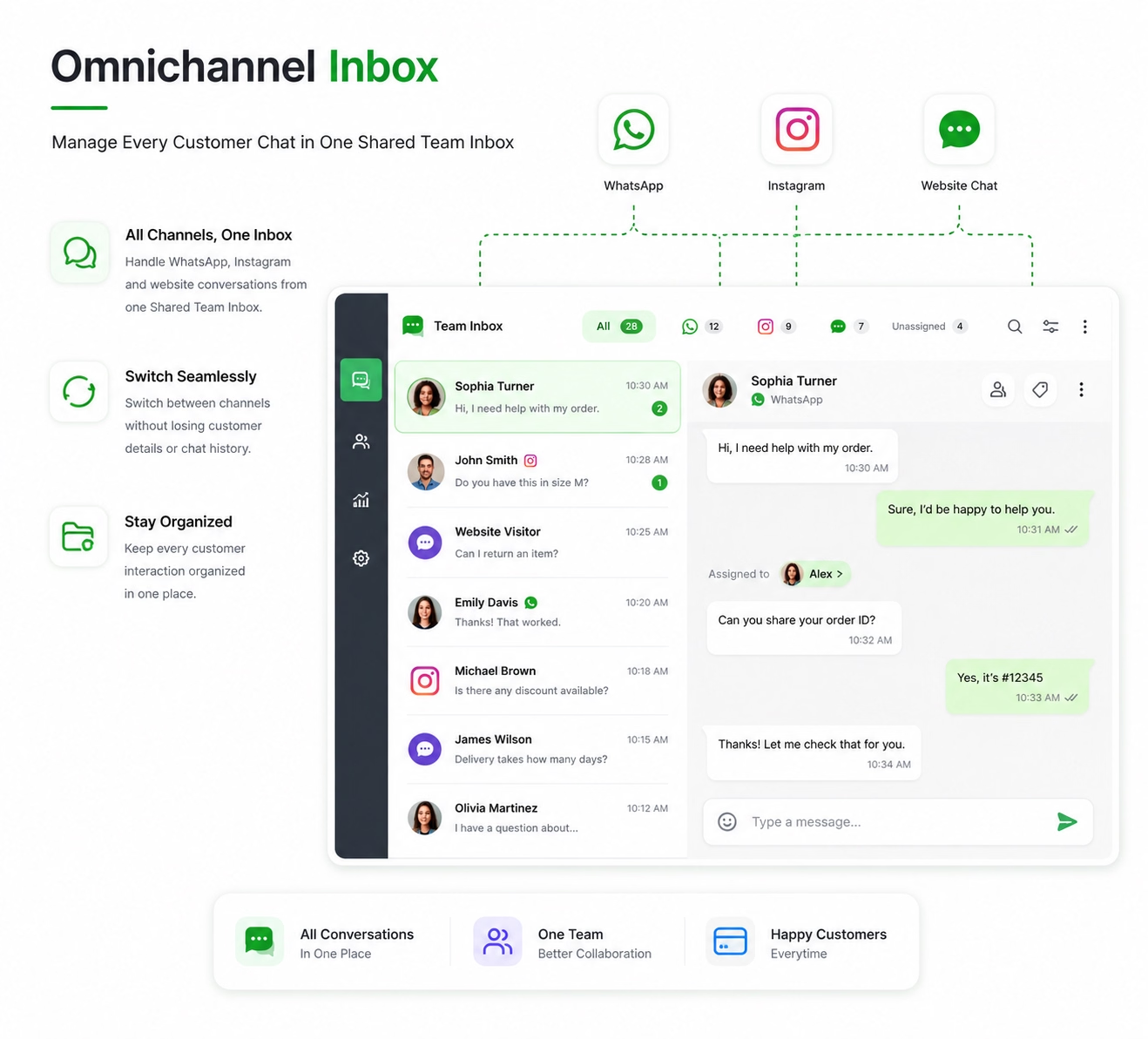
Omnichannel Inbox
Manage Every Customer Chat in One Shared Team Inbox
- Handle WhatsApp, Instagram and website conversations from one Shared Team Inbox.
- Switch between channels without losing customer details or chat history.
- Keep every customer interaction organized in one place.
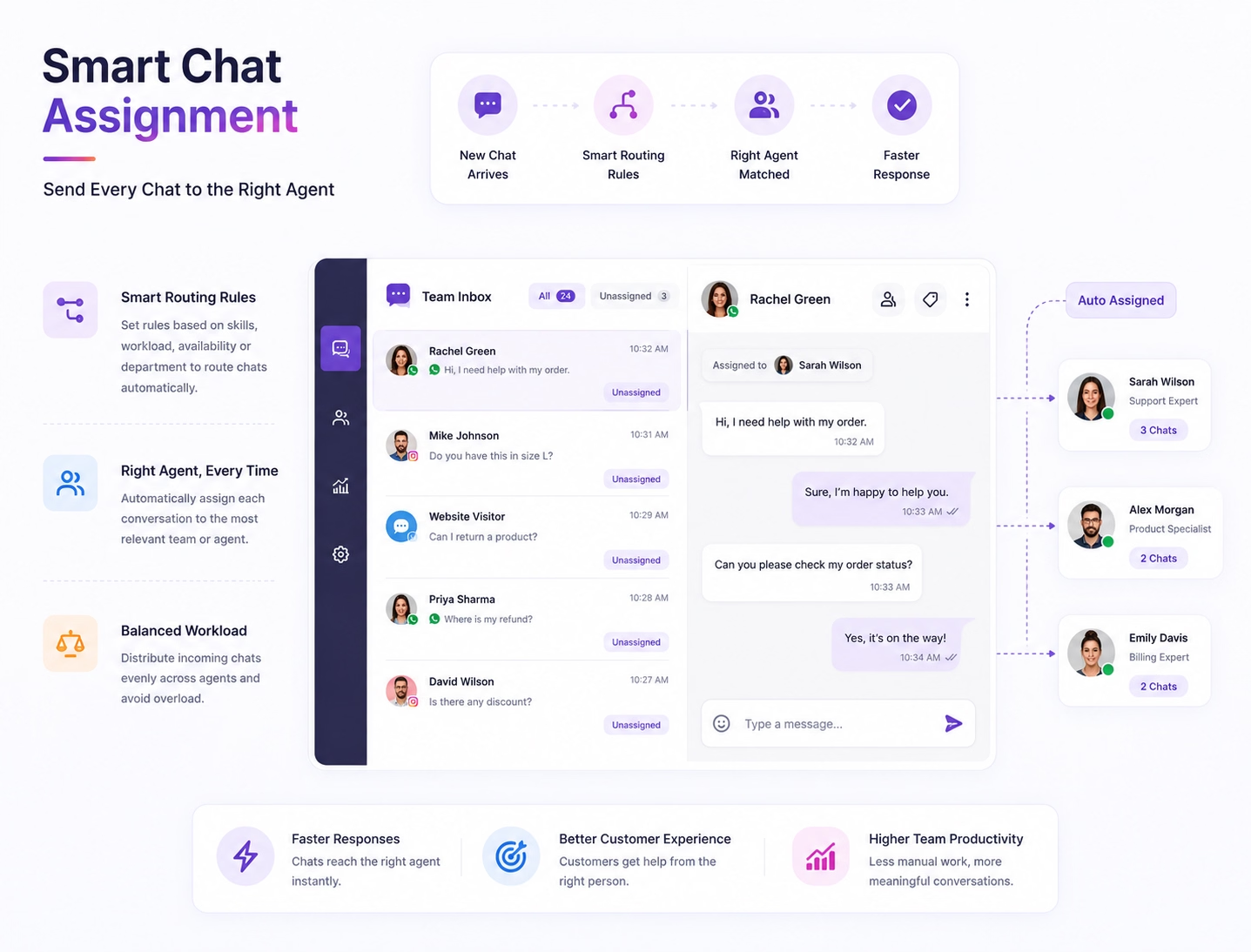
Smart Chat Assignment
Send Every Chat to the Right Agent
- Use your Shared Team Inbox to assign chats with smart routing rules.
- Direct each conversation to the right team without manual work.
- Balance incoming chats across agents for faster responses.
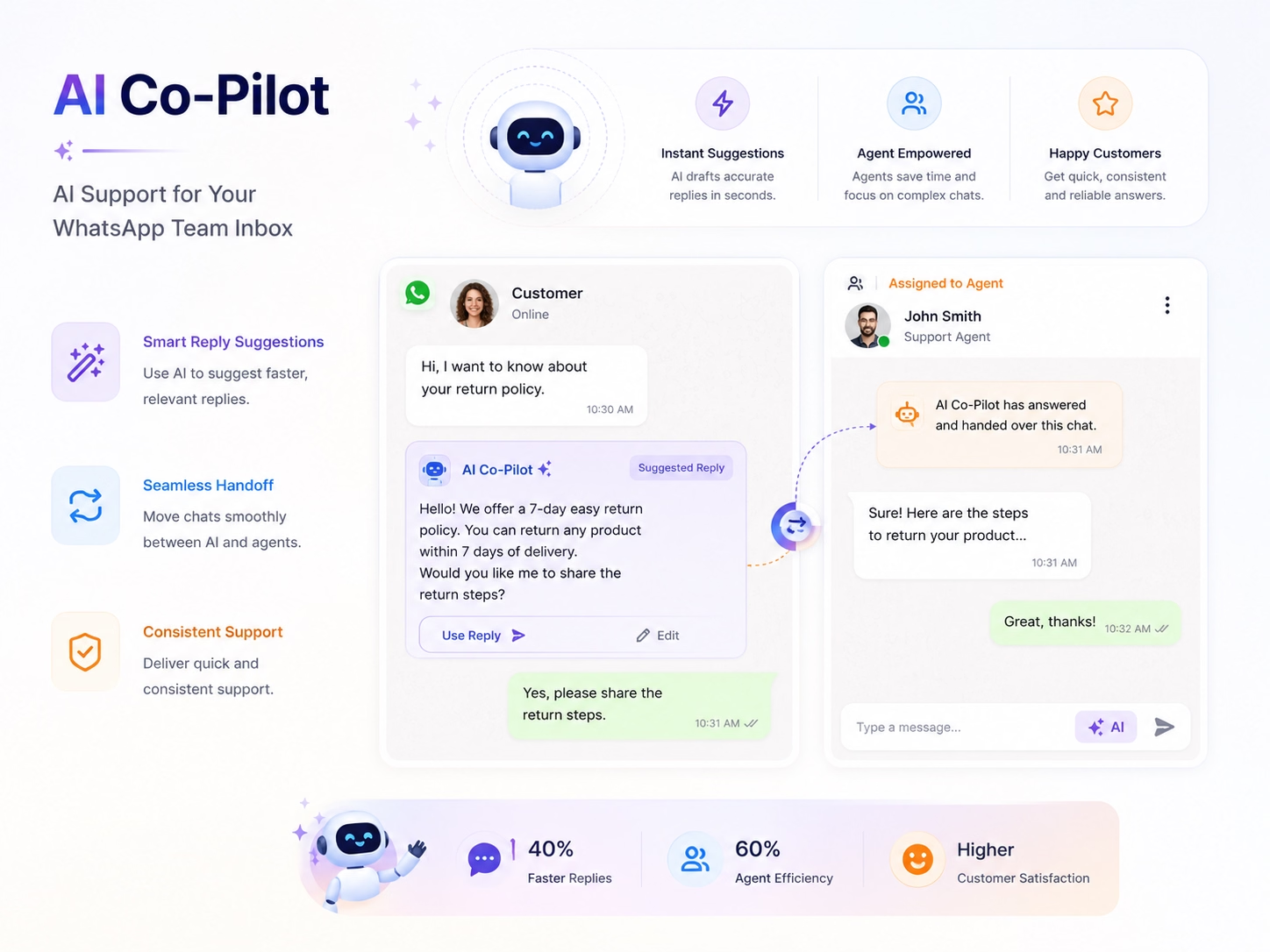
AI Co-Pilot
AI Support for Your WhatsApp Team Inbox
- Use AI to suggest faster, relevant replies.
- Move chats smoothly between AI and agents.
- Deliver quick and consistent support.
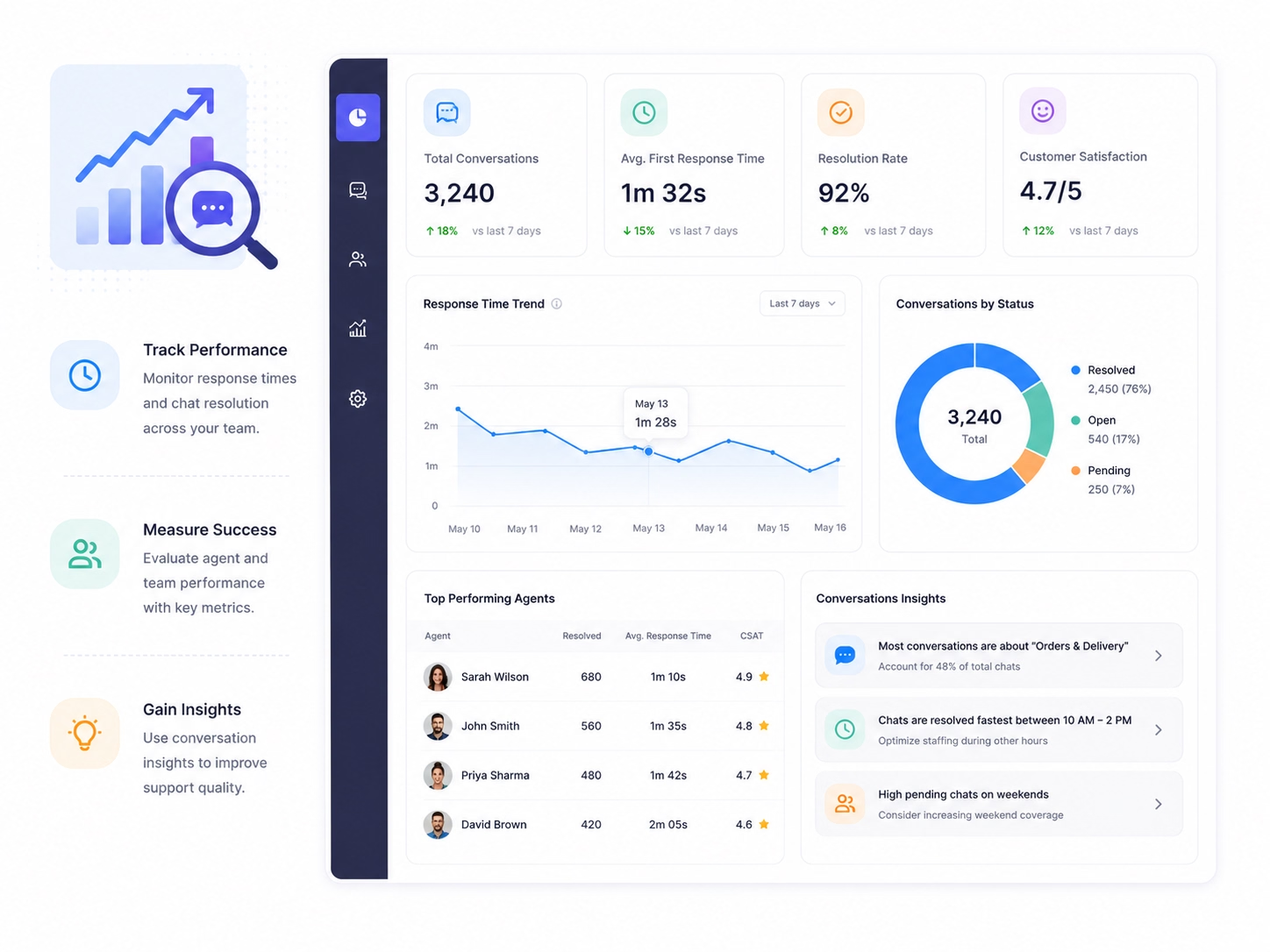
Conversation Analytics
Improve Your WhatsApp Team Inbox Performance
- Track response times and chat resolution.
- Measure agent and team performance.
- Use conversation insights to improve support.
Why Emovur
Why businesses choose Emovur
Manage customer communication at scale with a WhatsApp Shared Team Inbox built for growing sales and support teams. Bring every conversation into one structured system, improve team visibility and maintain a consistent customer experience as message volumes increase. Simplify multi-agent WhatsApp support with better conversation management, team coordination and workflow control.
Official WhatsApp Business API
Build Team Inbox using Meta's approved platform.

0% Markup on Meta Charges
Pay Meta's official conversation pricing without additional markup.
Smart Team Collaboration
Assign chats, add internal notes, and collaborate without losing context.
Centralized Conversation History
Access the full conversation history from one workspace.
Faster Response Times
Deliver faster support with instant notifications.
0% Markup on Meta Charges
Pay Meta's official conversation pricing without additional markup.
Use cases
Designed for every stage
of the customer journey.
From the first customer inquiry to follow-ups and post-sales support, Emovur's WhatsApp Shared Team Inbox keeps every conversation organised in one place. With a multi-agent WhatsApp inbox, sales and support teams can manage customer chats, access conversation history, track follow-ups and deliver faster, more consistent service across the complete customer journey.
Lead Management and Sales
Capture incoming WhatsApp leads, assign them to the right sales representative and manage follow-ups with complete conversation context.
Customer Support
Agents can review conversation history, add private notes and transfer chats when another team member is better placed to resolve the issue.
Post-Sales and Customer Retention
Manage onboarding, order updates, service requests, renewals and customer feedback from the same Shared WhatsApp Inbox.
Help Desk
Proper routing and shared conversation history help to resolve queries faster.
How It Works
Start Managing WhatsApp
Conversations as a Team
Set up your team and manage every customer conversation from one collaborative workspace.
Connect Your WhatsApp Number
Connect your WhatsApp Business number with Emovur and use it as the central number for customer communication.
Add Agents and Teams
Invite team members and organise them into sales, customer support, billing, operations or other relevant departments.
Assign and Manage Conversations
Receive customer chats in the WhatsApp Team Inbox, assign each conversation and allow agents to respond with the available customer context.
Automate and Analyse
Use inbox automation to manage repetitive actions and review conversation analytics to understand response activity, team workload and support performance.
FAQs
Frequently Asked Questions
From setup to support, here are the answers you need to launch faster with confidence.
What is a WhatsApp Team Inbox?
Can multiple agents use one WhatsApp Business number?
How does WhatsApp chat assignment work?
Can agents view previous conversations in a Shared WhatsApp Inbox?
Can conversations be transferred between agents or departments?
Can team members add internal notes to customer chats?
Does the WhatsApp Team Inbox support automation?
Does Emovur support chatbot-to-human handoff?
Can managers track WhatsApp customer support performance?
Why choose Emovur’s WhatsApp Shared Team Inbox?