

- Pricing
- Features
- Industries
- Affiliate/Partner
- Resources
WhatsApp Flows
WhatsApp Flows that Simplify
the Customer Journey
Create interactive WhatsApp Forms for lead generation, registrations, appointment bookings and service requests without redirecting customers to external websites. Emovur's WhatsApp Flow Builder helps you create guided, multi-step customer journeys, collect structured information and connect responses with supported CRM platforms, Google Sheets and business APIs.
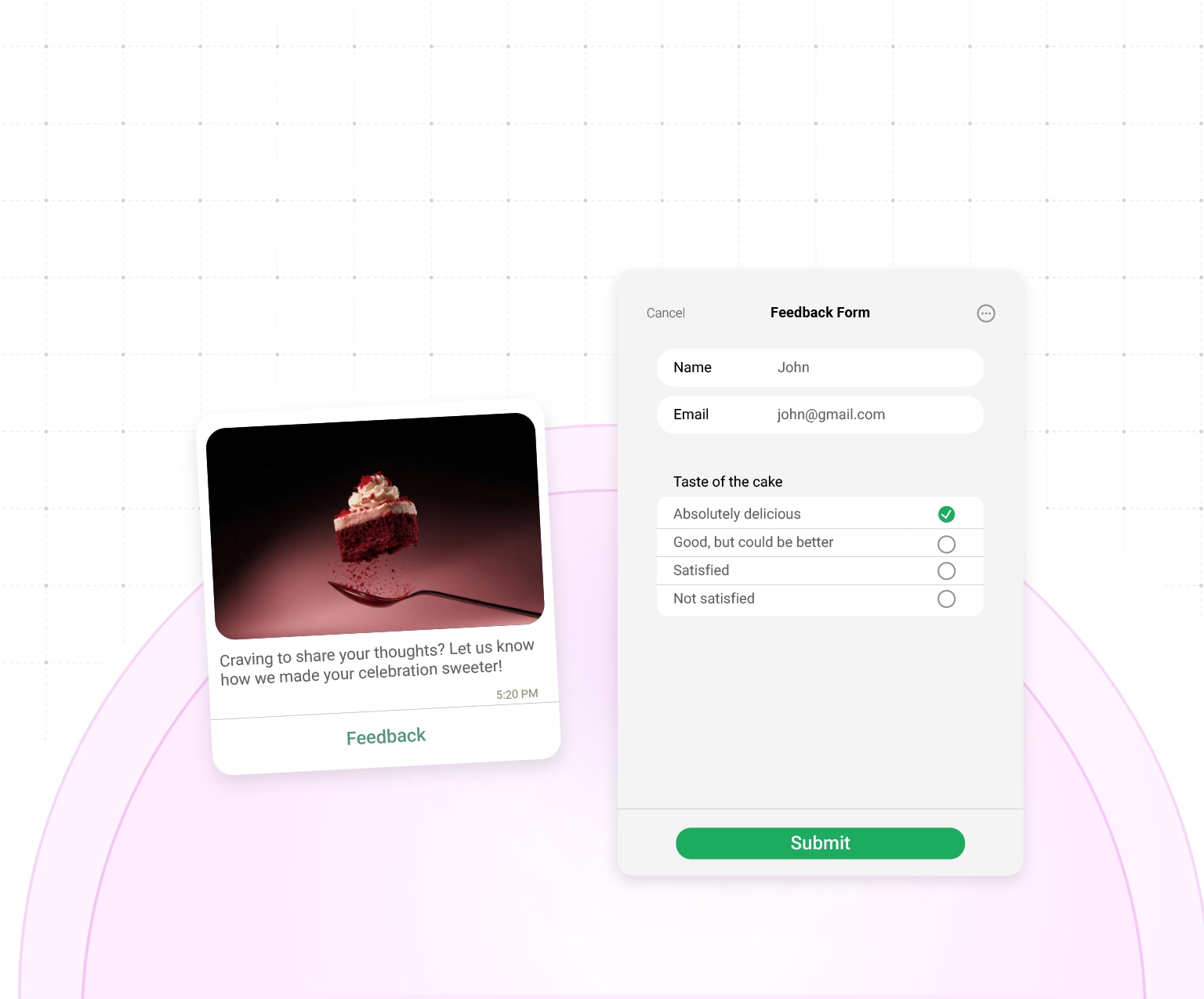
Trusted by Enterprises for smater customer conversations





50M+
Messages Delivered
10K+
Businesses Trust Us
100+
Reseller Partners
10+
Countries Active
Features
Everything You Need to Create
Interactive WhatsApp Flows
Create interactive WhatsApp Forms that help customers register, book appointments, submit service requests or share lead details without leaving WhatsApp. Emovur's WhatsApp Form Builder lets you build guided forms, personalise questions, validate responses and send collected data to your CRM. Use WhatsApp Lead Forms to capture accurate information and speed up customer follow-ups.
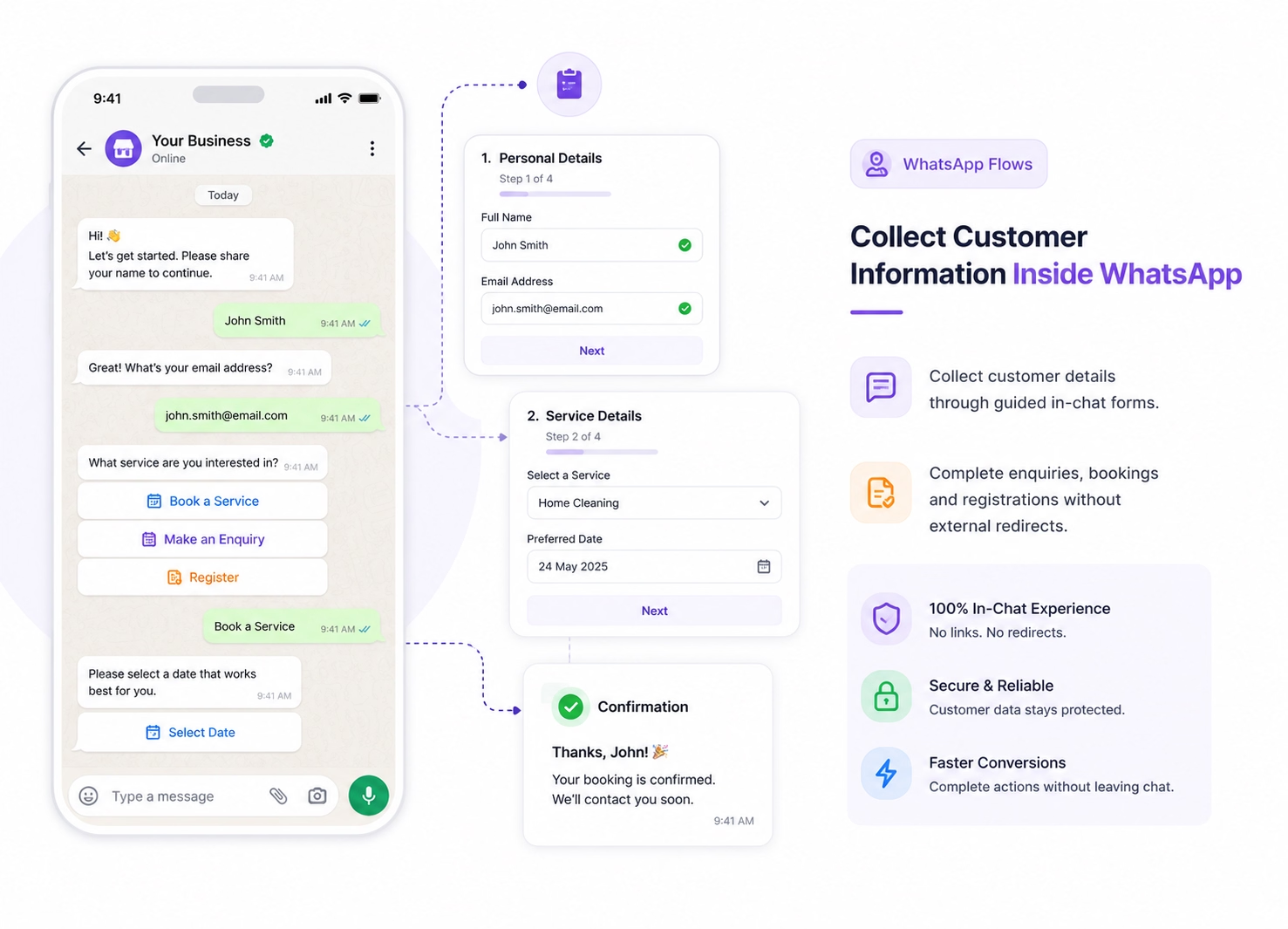
Collect Customer Information Inside WhatsApp
- Collect customer details through guided in-chat forms.
- Complete enquiries, bookings and registrations without external redirects.
- Replace lengthy chat conversations with structured WhatsApp Forms.
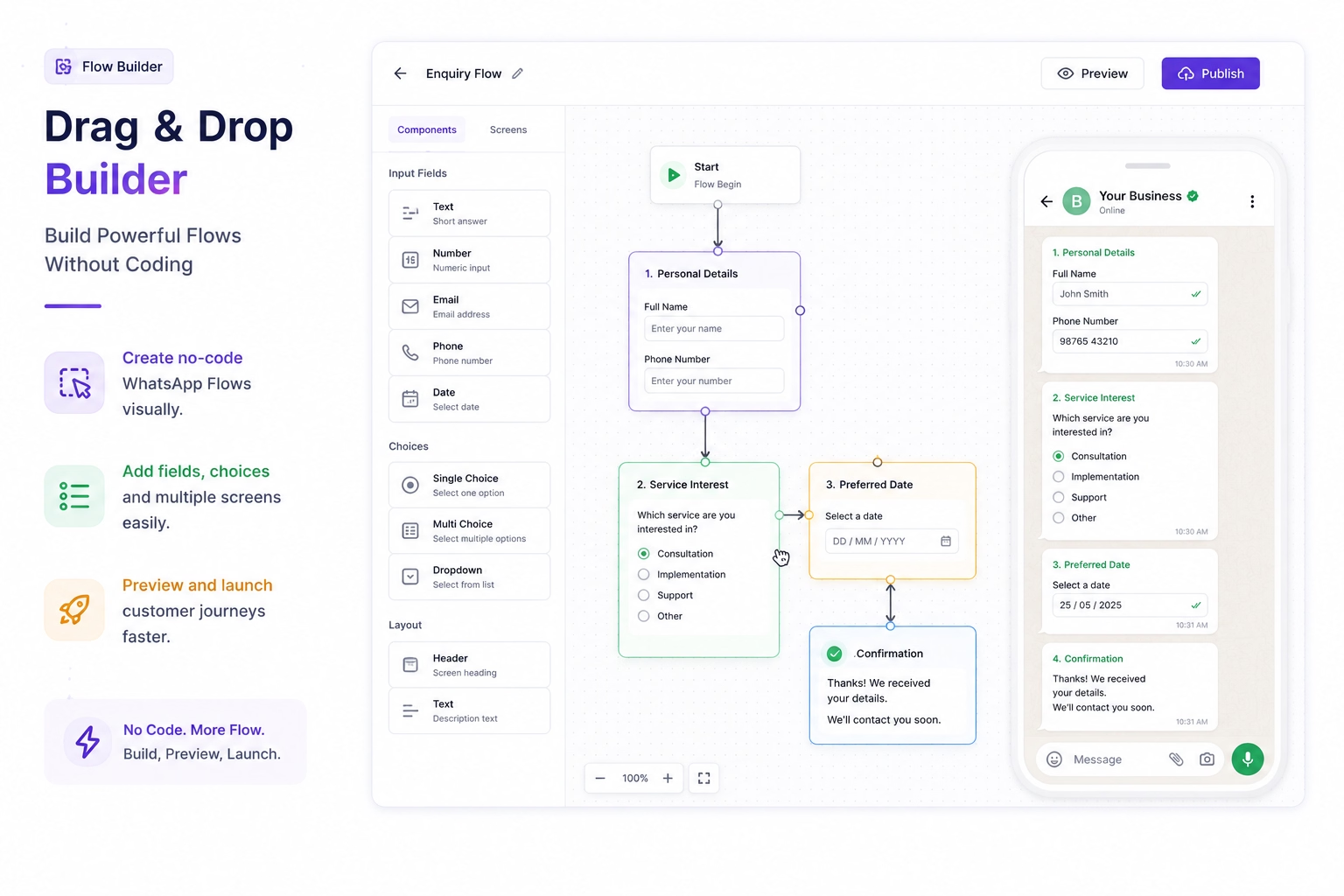
Drag & Drop Builder
Build Powerful Flows Without Coding
- Create no-code WhatsApp Flows visually.
- Add fields, choices and multiple screens easily.
- Preview and launch customer journeys faster.
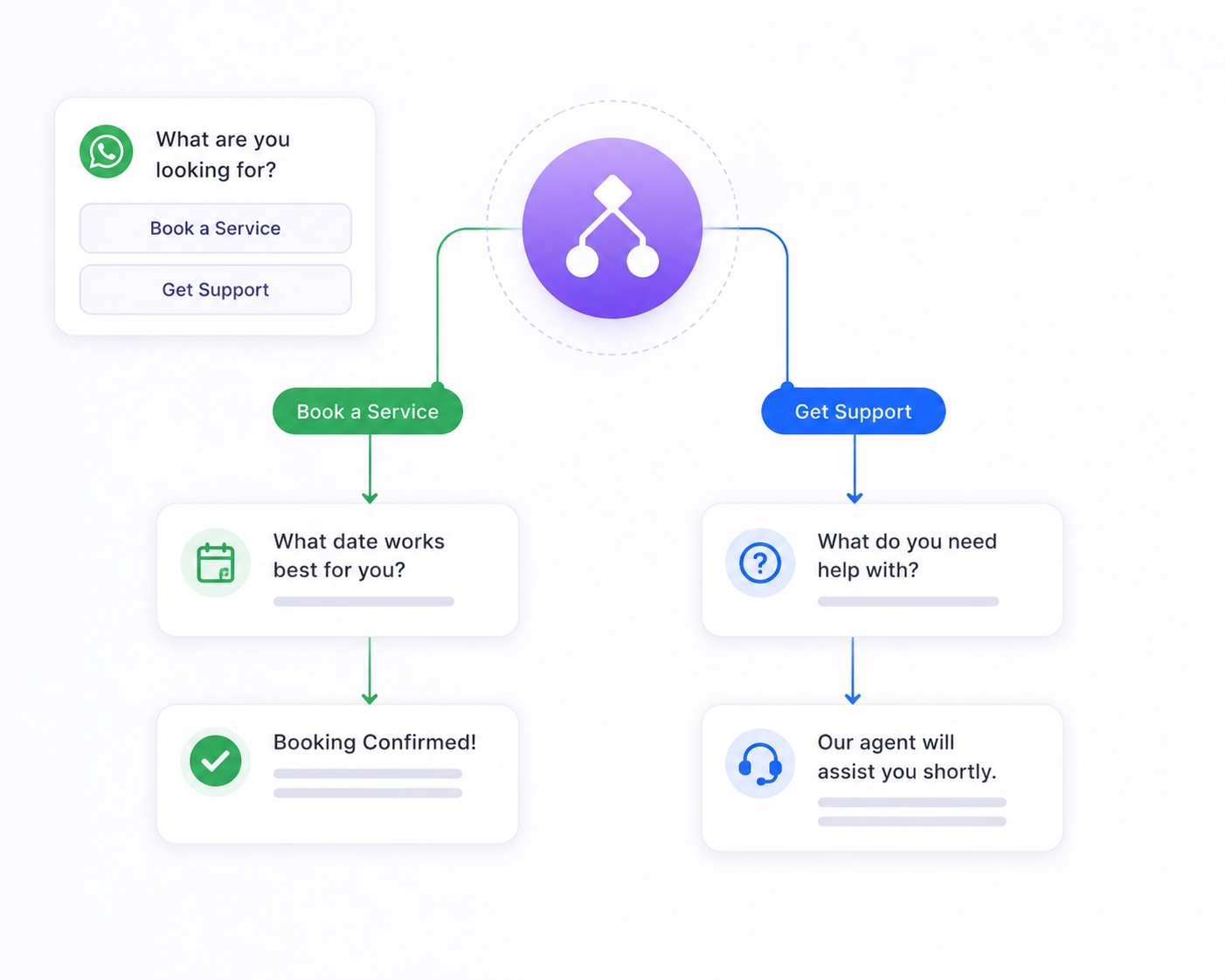
Smart Conditional Logic
Ask the Right Questions Every Time
- Personalise questions using customer responses.
- Display only relevant fields and next steps.
- Keep every WhatsApp customer journey short and focused.
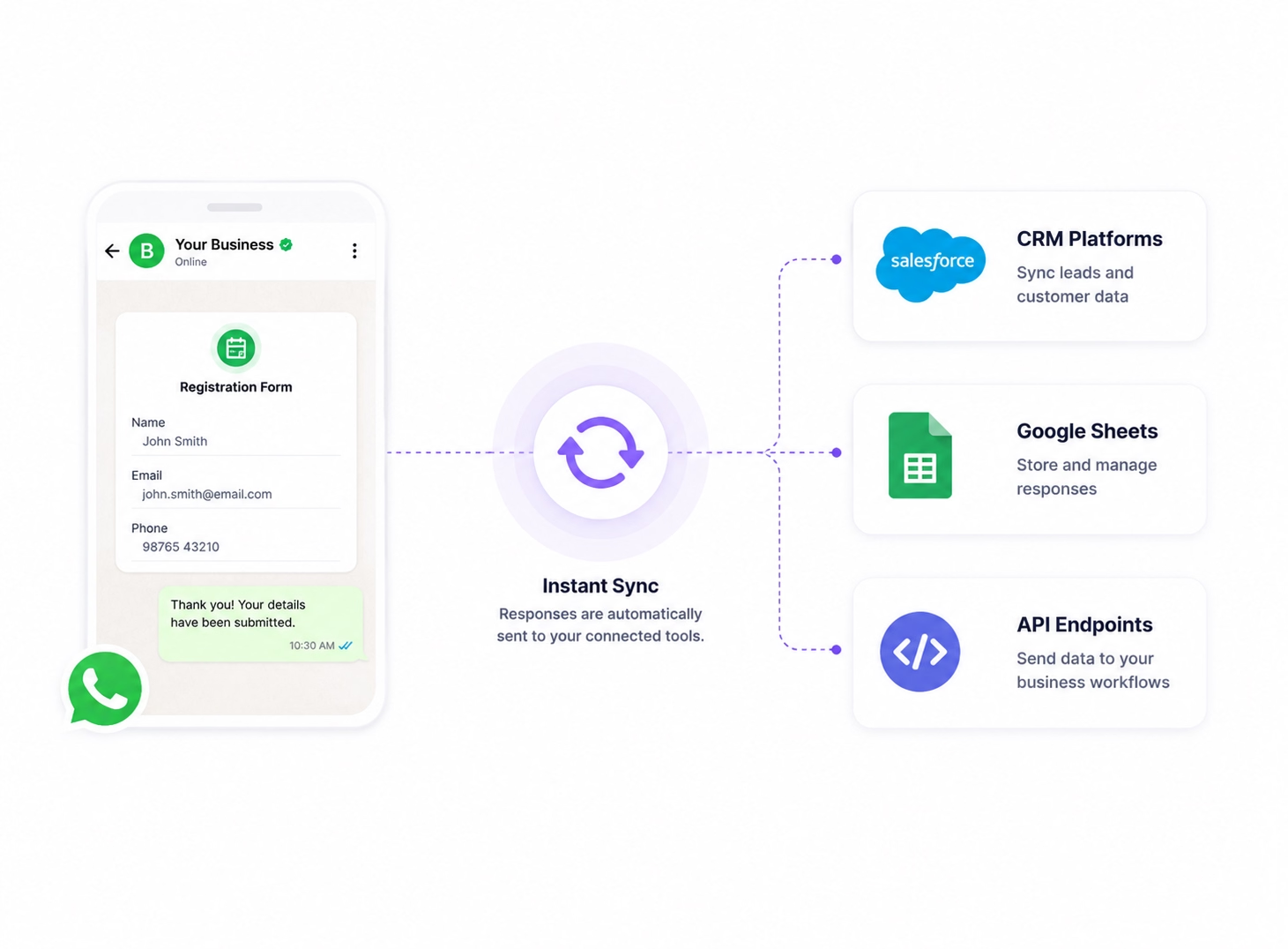
Instant CRM Sync
Automatically Recive Responses Where You Want
- Send WhatsApp Flow responses to supported CRM platforms.
- Sync structured customer data with Google Sheets.
- Connect business workflows through API endpoints.
Built for Every Business
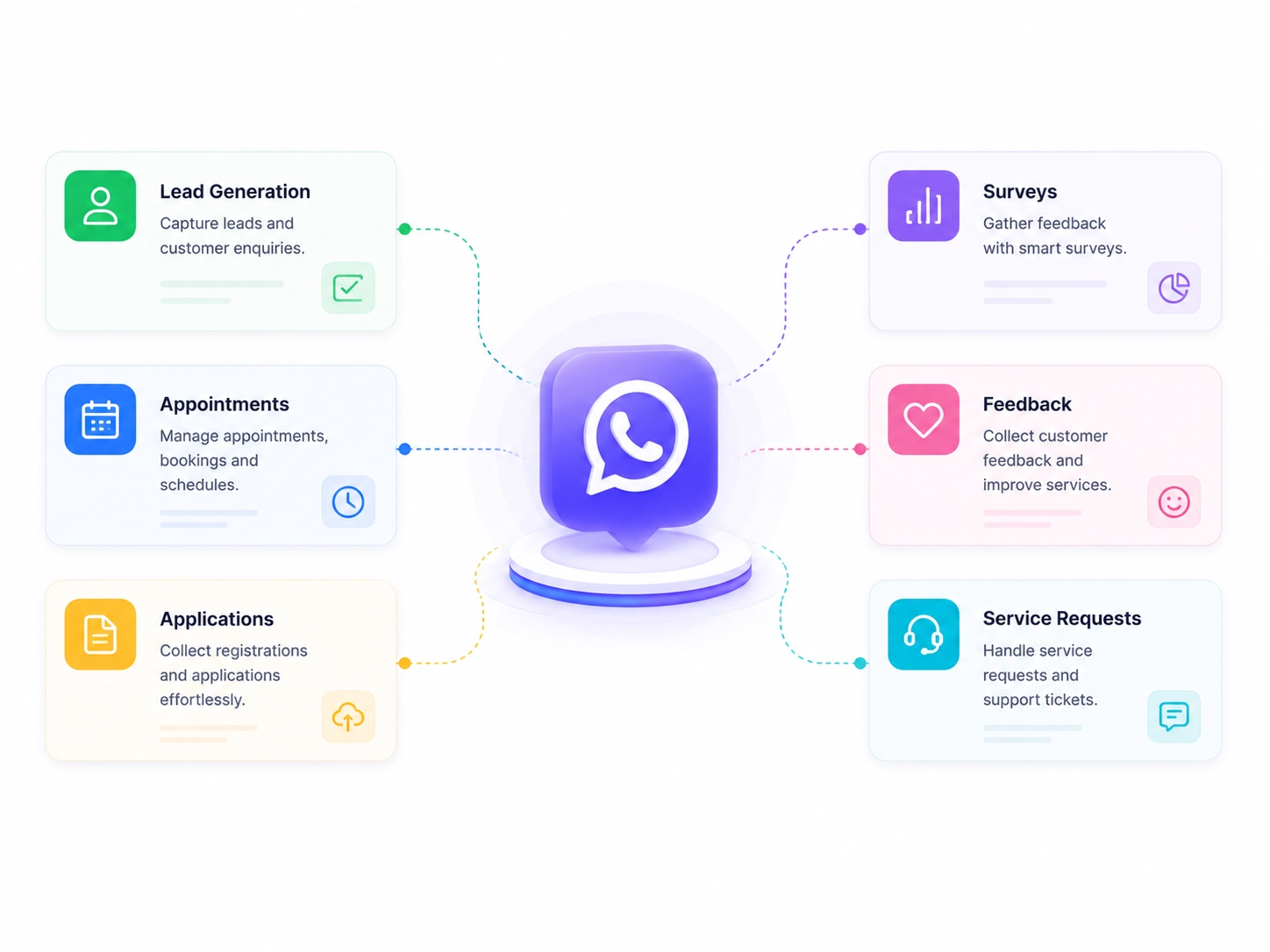
One Solution. Countless Use Cases.
- Capture leads and customer enquiries.
- Manage appointments, registrations and applications.
- Collect surveys, feedback and service requests.
Real-Time Validation
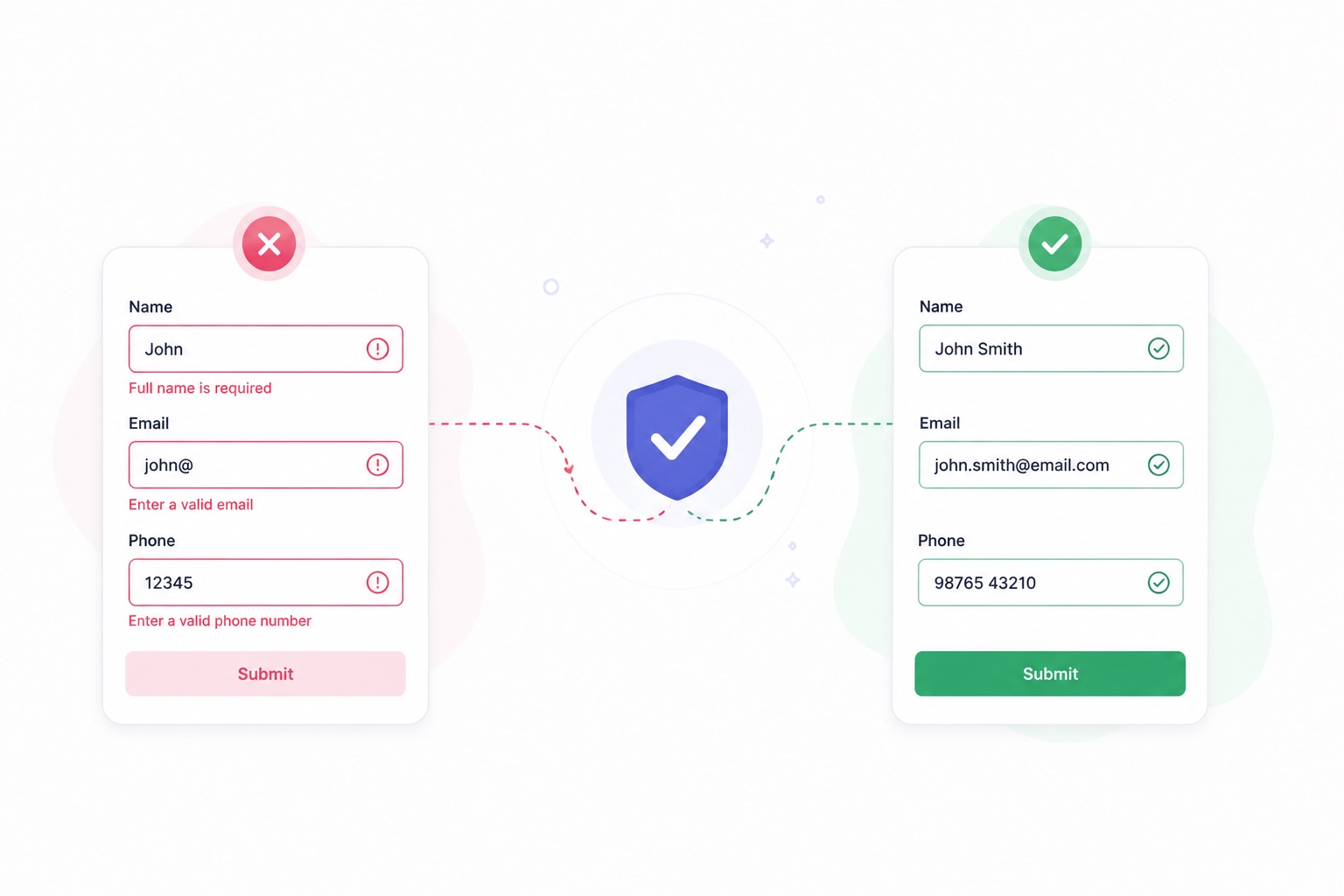
Capture Accurate Information Every Time
- Validate required fields and contact information.
- Reduce incomplete or unusable form submissions.
- Improve customer data quality beore submission.
Why Emovur
Why Businesses Choose Emovur
Build interactive customer journeys with a WhatsApp Flow Builder for data collection, workflow automation and connected business processes.

No Markup on Meta Messaging Charges
Emovur does not add an additional markup to applicable Meta messaging charges. Platform, automation, integration and support costs may depend on the selected plan.
Official WhatsApp Business API
Build WhatsApp flows using Meta's approved platform.
No-Code Flow Builder
Create and publish WhatsApp Forms without coding.
CRM and Business Integrations
Send customer responses to CRMs, Google Sheets and APIs for faster follow-ups.
Secure and Reliable
Build WhatsApp Business API Flows on the official platform with secure data handling and reliable integrations.
No Markup on Meta Messaging Charges
Emovur does not add an additional markup to applicable Meta messaging charges. Platform, automation, integration and support costs may depend on the selected plan.
Use Cases
Guide Customers Through Every
Step—Without Leaving WhatsApp
Replace long chat exchanges and external forms with interactive WhatsApp Flows for registrations, bookings, applications and service requests. Emovur's WhatsApp Flow Builder helps you create guided WhatsApp Forms that collect accurate details, reduce drop-offs and send responses to the right team or business system.
Lead Generation
Capture qualified leads through WhatsApp lead generation forms. Collect contact details, product interests and customer preferences, then send structured responses to your sales team or CRM.
Customer Registration
Use interactive WhatsApp Forms for event, membership or service registrations. Guide customers through each step and collect complete information without redirecting them to an external form.
Loans and Applications
Create structured WhatsApp application Flows to collect preliminary applicant details and eligibility information. Route completed responses to authorised teams or connected systems for review.
Feedback Collection
Use WhatsApp survey Forms to capture ratings, comments and follow-up requests. Conditional questions keep the feedback journey relevant and make responses easier to review.
Order and Service Request
Collect product requirements, service categories, preferred dates and customer details through a guided WhatsApp Flow. Send complete requests to sales, support or operations teams for faster action.
How It Works
Launch WhatsApp Flows
in Four Simple Steps
Create seamless customer journeys that collect information and complete actions directly inside WhatsApp.
Design Your Flow
Build an interactive experience by creating forms and workflows using a no-code builder.
Share with Customers
Send your Flow through campaigns, chats, or Click to WhatsApp Ads.
Customers Complete Actions
Customers fill forms, book appointments, or make selections without leaving WhatsApp.
Capture & Automate
Automatically send responses and sync customer data with your business systems.
FAQs
Frequently Asked Questions
From setup to support, here are the answers you need to launch faster with confidence.
What are WhatsApp Flows?
How does a WhatsApp Flow Builder work?
Can I create WhatsApp Flows without coding?
What are interactive WhatsApp Forms used for?
Can WhatsApp Flows capture qualified leads?
Can customers book appointments using WhatsApp Flows?
Can WhatsApp Flows use conditional logic?
Can WhatsApp Flow responses sync with a CRM?
Can WhatsApp Flows connect with Google Sheets or APIs?
Why choose Emovur for WhatsApp Flows?